
This user has no description yet

lucasta
Dear Lord,
If you or your alliance members are experiencing login issues, please try the following temporary solutions:
1.Navigate to the following path on your device:
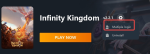
Open the GTarcade platform and click Settings → View Logs in the upper right corner.

In the folder window that appears, go back to the AppData level

Open the LocalLow folder.

Open the Yoozoo Games folder.

Open the Infinity Kingdom folder, then delete the GameRes folder.

Restart the game and try logging in again.
2.Alternatively, you can download the Android version of the game and access it through an emulator.
https://infinitykingdom.gtarcade.com/cn/dl
Our team is preparing a new update package to fully resolve this problem, which is expected to be released tomorrow.
We will notify all players once the update goes live.
We sincerely apologize for the inconvenience and appreciate your continued patience and support.
Sincerely,
Infinity Kingdom Team
Translate

Popular Posts
1

Steps to Resolve the Login Issue
6.8K discussions 21.9K views
2
Play Multiple Accounts on Gtarcade Desktop App!
3.9K discussions 9.8K views
3

New Points Packages Online!
5.4K discussions 35.5K views